
Repair guide · EMOVE Cruiser V2
Replace the Display on an EMOVE Cruiser V2
Six steps on EMOVE’s factory model of the Cruiser V2, with our photos of the display itself. Press Start to see where the screen, the button pad and the cable sit.
Loading the 3D guide…
Parts for this job
Read the steps as text
What you need
- Hex keys
- A small screwdriver
- Spare cable ties
Replace the display on an EMOVE Cruiser V2
- Power off. Turn the scooter off and unplug the charger. Never unplug or plug in the display with the scooter on.
- Unplug the display cable. The display cable leaves the back of the screen and joins the bundle of cables that runs down the stem. Open the straps on the bundle, follow the display cable down to its plug and pull the two halves straight apart. Pull on the plug, never on the wires.
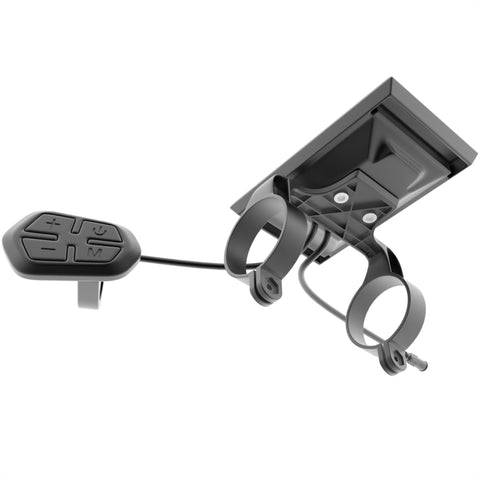
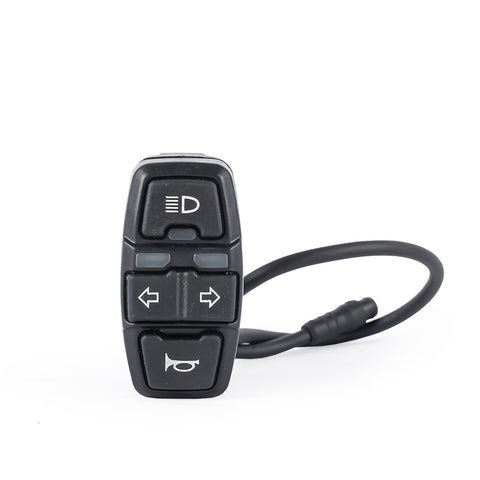
- Take the button pad off the left bar. The 4-button pad (+, power, − and M) sits on top of the left side of the bar, next to the brake lever and the light switch. Note where it sits so the new one goes in the same place, then undo its clamp and take it off the bar. If your pad sits on a closed ring with no screw, slide the grip and brake lever off first so the pad can come off the end. The pad and the screen are one part, wired together.
- Take the screen off the bar. The screen sits on the bar over the stem, held by 2 split clamps, one on each side of the stem. Each clamp is closed by a small screw and nut underneath. Undo both, open the clamps and lift the screen off. The pad and cable come away with it.
- Fit the new display. Clamp the new screen over the stem where the old one was, tilted so you can read it standing on the deck. Clamp the pad on the left side of the bar where the old one was, where your left thumb reaches it without letting go of the grip. Tighten the clamps until they do not turn, without forcing them.
- Plug it in and test. Run the new cable down the bundle the same way, push the two plug halves fully together and close the straps. Turn the scooter on: the screen should show the battery level and a speed of 0. Press + and − to change the level, and check the lights.
After the swap
Ride slowly at first and check the speed reading looks right. If the screen shows an error code, stays blank or the speed looks wrong, contact us before riding: a new display can need its settings matched to your scooter.
How this guide was made
The 3D view is EMOVE's factory model of the Cruiser V2, and the places on it are where the display and its parts sit. That model shows an older display built into the left grip and has no cables or plugs, and the display we sell is not in it, so our photos show the real part. It is not an EMOVE service manual. The clamp screw sizes and torque values are not in the model, so none are given here. If something on your scooter does not match, stop and send us a photo.
Stuck on a step? Ask our team and send a photo. We will tell you what you are looking at.
